Samsung YP-U2
Sep 2nd, 2006 | By Archive
Samsung YP-U2
Date
: 09/2/06 – 09:03:34 PM
Author
:
Category
: MP3 Players
Page 1 : Introduction
Manufacturer:
Samsung
Price:
$93.99
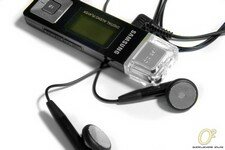
Throughout the years, we have seen quite a number of Samsung products here at Overclockers Online, including a large number of Samsung digital audio players and as you have probably guessed, the star of today's review is yet another Samsung digital audio player, the YP-U2, a full-featured digital audio player for those on a budget.

Clearly Apple and their iPod have a strong hold over the digital audio player market for high end players, low end players and everything in between. Of course no dominance is to be left unchallenged; many digital audio players who have been dubbed 'the iPod killer' have come and gone, but none have been able to hold its ground against the famed iPod and with good reason too. Behind the Apple logo, sleek design, and iTunes is a popular culture icon, and most importantly: a loyal fan base. So what exactly is Samsung's YP-U2? Well, that is exactly what we will find out in today's review!
Page 2 : Package and Content
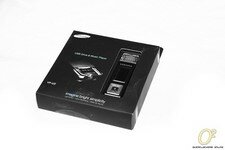
The YP-U2's package is unlike any other Samsung YP series MP3 package we have seen. Instead of clear plastic and cardboard, the YP-U2 ships within a stylish matte black box accented with a light blue text and a very artistic picture of the digital audio player. Off to the side, a clear window displays the YP-U2.
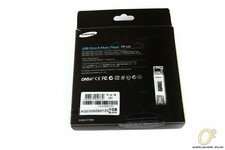
The back side of the package displays features, supported audio formats, and system requirements.
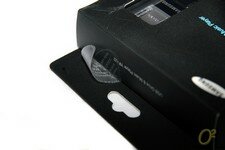
On either opening, Samsung has placed a security seal which warns consumers if the seal is broken.

Though this is a good idea on paper, the seal easily peels away from the cardboard box thus rendering it useless.
No matter, let's continue on with the review. With the seal removed, the contents of the package can be slid out from inside of the box on a single plastic tray.
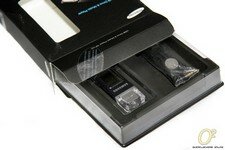
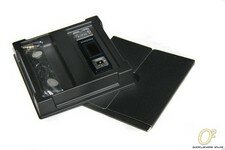
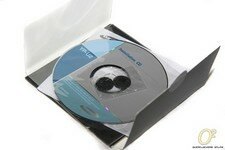
The envelope underneath the tray contains an installation CD, manual, and foam coverings for the ear buds. Before we head onto looking at the YP-U2 digital audio player, we will first look at some features and specifications.
Page 3 : Features and Specifications
Here is what Samsung has to say about the YP-U2.
OGG is a relatively new audio format and the ability to play such files should make the open source and audiophile crowd quite happy.
And specifications:

Though the chart states that the YP-U2 unit is 512MB, the player also comes in 1GB and 2GB models.
Page 4 : Layout
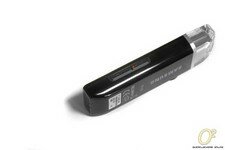
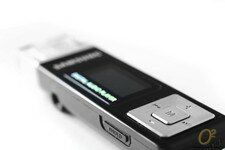
The Samsung YP-U2 is a very simplistic looking digital audio player; the majority of the main function buttons are located beside the LCD display on the face of the player. These buttons include the standard navigation buttons, volume control, skip/rewind, and select.
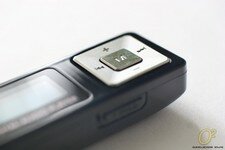
Lesser used buttons such as play/pause, power, microphone, and hold are located off to the side.
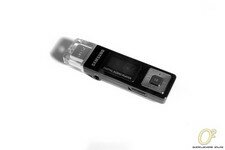
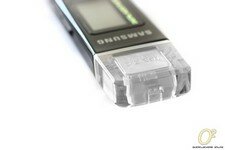
The USB connector is covered by a clear cap which, in my opinion, looks very out of place and really takes away from the cleanly designed look.
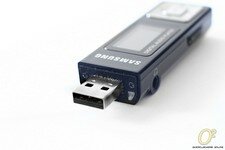
The opposite end sports a microphone and a hidden reset button.
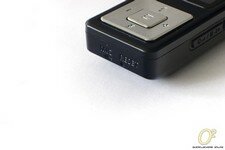
The audio output which is usually found at the bottom or top of portable audio devices is located on the side along with the hold button on the YP-U2. Because of this, the once slim low profile YP-U2 becomes significantly wider.
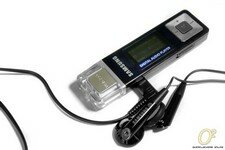
Now, lets head on over to installation!
Page 5 : Installation
Samsung has included a CD containing Samsung Media Studio which functions as both a media player and tool to upload songs onto the YP-U2. However, it is not necessary to install Samsung Media Player in order to upload music; simply locate the device from
My Computer
then copy and paste songs into it. But, for the sake of this review, we will walk through the installation of Samsung Media Studio.
First insert the included CD-ROM into an optical drive and either wait for it to auto run or initialize the installer from the CDs directory.

After sorting through the standard installation options such as location and settings, the software will begin to install.

Once that is all done, Samsung Media Studio will be ready for use!

Now that the software portion is done, plug in the YP-U2 and fill it up with music!

Page 6 : Testing
Now I don't have or have access to the equipment necessary to do a thorough and accurate testing of the YP-U2, so the testing will not be as sophisticated or as technical as we are accustomed to here at Overclockers Online. Instead, we will be testing usability, functions, and transfer rate.
First, press the power button to start.
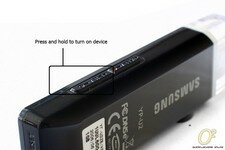
Once powered on, the YP-U2 will immediately begin playing music. When held in the right hand, all of the buttons and controls are very easily accessible. The thumb wheel is easily controlled with the thumb and user/record and play/pause are easily reached by the pointer finger.
To access the main menu, hold down the 'M' button.
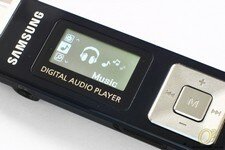
Scroll though the menu with the volume up and volume down buttons and select with the 'M' button.
To record audio, click and hold the user/record button; recording will then start immediately.
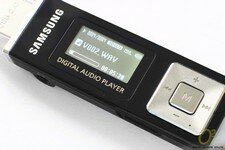
As a whole, the layout of the menus and options are very, very easy to navigate and should not require a manual to learn. In fact, within minutes it should become second nature.
The sound quality is simply astonishing and definitely unexpected, especially from a relatively low priced digital audio player. Like always, Samsung has included all the goods such as 3D audio, an equalizer, and various other options to enhance the audio quality. The only real bottleneck is the included ear buds; while they are decent, swapping them for a higher end pair would be ideal.
Page 7 : Testing: File System
Because of the built in USB head, the YP-U2 can easily be used as a removable USB flash drive. To test this, we will run a few basic benchmarks to give a general overview of its performance. We will start system specifications.
DFI LANParty NF4 Ultra-D
2x 512MB OCZ El Platinum Rev. 2 TCCD
Sapphire X800GTO2 @ X850XT PE
Sytrin KuFormula VF1 Plus @ low
2x Seagate 80GB SATAII RAID0
Seagate 120GB SATA
Tagan 480W
Lian Li PC65B
80mm Antec exhaust fan @ 5V
120mm Panaflo L1A exhaust fan @ 5V
Windows XP Pro SP2 with latest drivers and updates[/quote]
As always, we try to ensure consistency and accuracy with our testing in order to fairly represent the product. Before running each benchmark, the YP-U2 was first formatted twice. To begin, we will start with HD Tach RW.
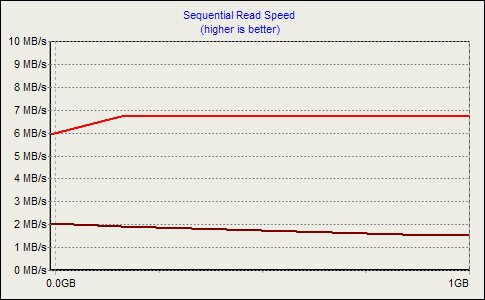
The read speed starts off at around 6MB/s but then quickly peaks just under 7MB/s; the sequential write speed on the other hand slowly but steadily decreases from 2MB/s down to around 1.5MB/s throughout the duration of transferring a 1GB file.

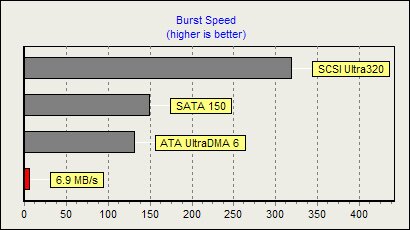
This graph shows the YP-U2's performance relative to common internal storage mediums.
Next up in line is ATTO!
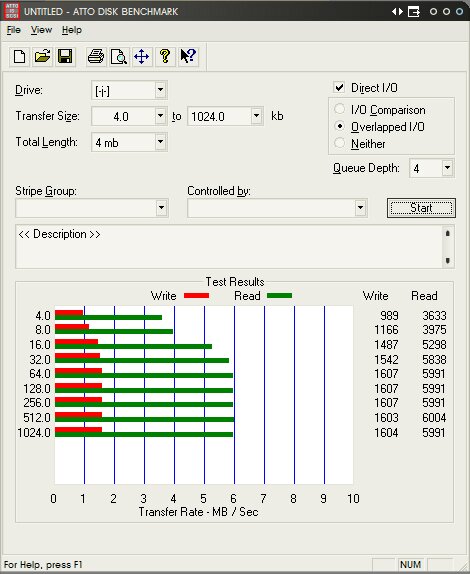
Again, the results are very similar; read rate tops out around 7MB/s whereas write tops out at just over 1.5MB/s.
These numbers are low, there is no question about that, but transfer speed was never a priority with digital audio players, especially with a budget player such as the YP-U2 so these numbers are understandable. Now that we are done testing, head on over to the conclusion for the final results.
Page 8 : Conclusion
Samsung has again put together another awesome product and at a low price too. Like all portable digital audio players, one of the biggest downfalls is the included ear buds, but for such a moderately priced product it is expected. Another detail Samsung could work on is the audio output jack placement. Placing it off to the side not only breaks the sleek look, but it is also awkward and a waste of space. However, the audio quality, button layout, navigation, screen, and the ability to drag and drop both music and files directly into the player easily outweigh the minor design flaws. I would expect the YP-U2 to become a very popular product and a tough competitor in the lower-end digital audio player market.
The Samsung YP-U2 may not be the 'iPod killer' or the one to retake Apple's dominance over low end digital audio players, but its presence will definitely be felt.
Advantages
- Low priced
- Feature filled
- Excellent button and menu layout
- Drag and drop music transfer
- Excellent sound quality
Disadvantages
- Awkward-looking cap
- Poor earphone jack placement
Overclockers Online would like to thank Samsung for making this review possible.
Leave Comment
You must be logged in to post a comment.